
How to Change the Frequency of a Garage Door Opener Complete Homeowner Guide
Programming more than one garage door opener is easier than most homeowners think. Today’s modern systems allow you to connect multiple remotes, wall consoles, and smart devices without any complicated steps. Whether you manage a large home, a rental property, or simply want added accessibility, connecting additional openers helps streamline daily use. For Palm Beach County residents who need help with multi-opener repairs, this service is also available through Palm Beach Garage Door Repair, making the process easier and more reliable. Understanding how to handle more than one opener also helps you improve security and reduce access issues. Each manufacturer uses slightly different programming methods, but the main steps remain similar across brands. With the right process, you can sync multiple remotes smoothly and avoid the hassle of unresponsive or mismatched openers..
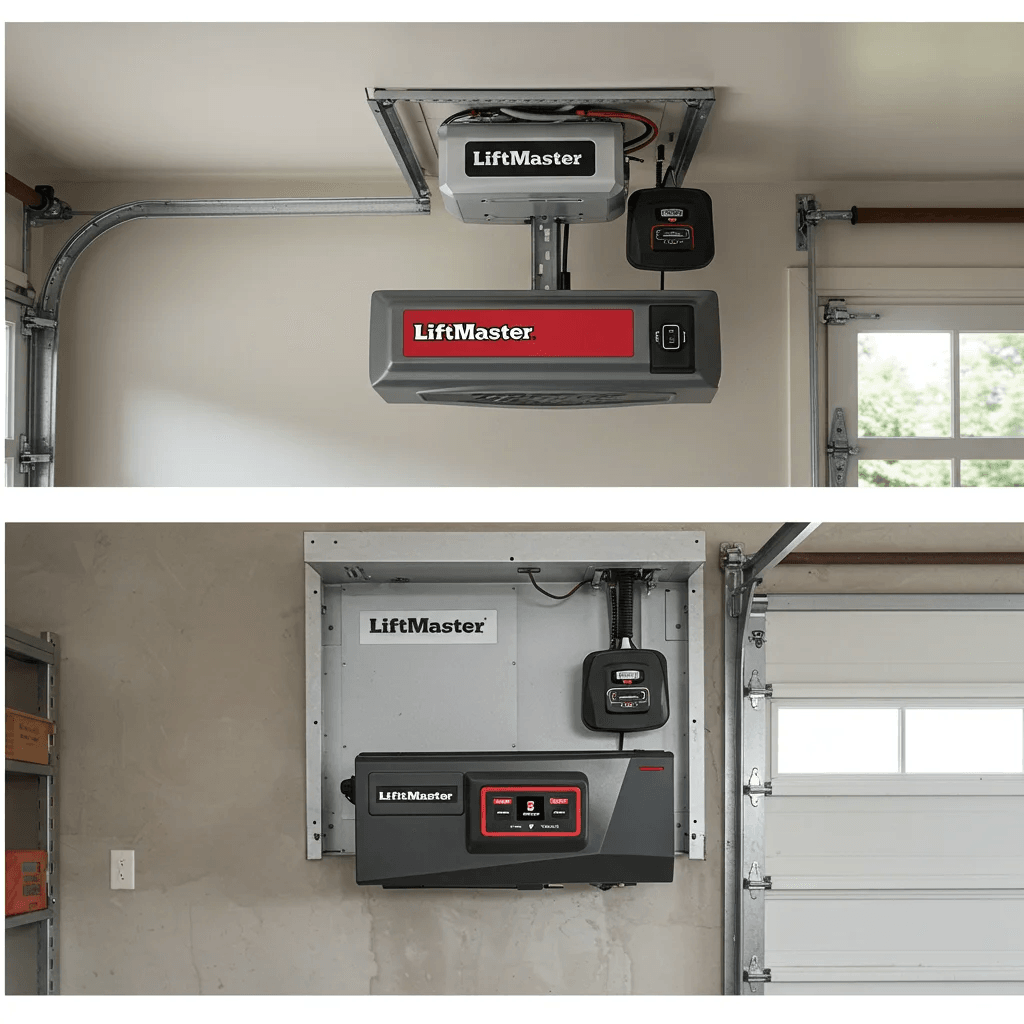
Understanding Garage Door Opener Frequencies and How They Work
Garage door openers communicate using radio frequencies, usually in the 300 to 400 MHz range. When you press the remote, it sends a coded radio signal that tells the opener to activate. Modern systems use rolling-code technology, which changes the code every time you press the button, making it safer and harder to hack. Older systems often use fixed frequencies, which stay the same unless you manually change the dip switches. This makes them easier to work with but also easier for interference or security issues to develop. Knowing the difference between fixed and rolling codes helps you understand what steps you can take to manage your system...
Table of Contents
- How to Change the Frequency of a Garage Door Opener
- Understanding Garage Door Opener Frequencies and How They Work
- How to Change the Frequency on LiftMaster, Chamberlain, and Craftsman Openers
- Changing the Frequency on a Genie Garage Door Opener
- How to Identify Your Garage Door Opener Frequency Before Changing It
- Can You Change the Frequency on Older Garage Door Opener Models?
- Fixing Interference Problems by Changing Garage Door Opener Frequency
- Reprogramming Your Garage Door Opener After Changing Its Frequency
- Can Your Garage Door Opener Be Hacked? Frequency Safety Explained
Multi-Device Compatibility Programming Different Brands Together
Many homeowners use a mix of remotes, keypads, and smartphones to operate their garage doors. Thankfully, modern opener systems support cross-compatibility across various devices. Universal remotes, in particular, are designed to pair with different opener brands, allowing you to use one remote for multiple doors. This flexibility helps keep garages organized and makes daily operation smoother. Smartphone-based openers and hub systems also allow multi-device programming through Bluetooth or Wi-Fi. These systems often let you manage several garage doors from one app, giving you real-time control and monitoring from anywhere. As long as each opener supports smart connectivity, you can link them all through a single mobile interface.
Troubleshooting Tips Fixing Multi-Opener Connection Issues
If your remotes fail to sync, the issue usually comes from interference, outdated batteries, or using incorrect programming steps. Checking each remote’s battery life is a simple first step before repeating the pairing process. If the problem continues, resetting the opener’s memory may resolve the conflict and allow fresh programming for all devices. For Palm Beach Gardens users needing expert support, the team at Palm Beach Gardens Garage Door Repair can diagnose and fix multi-remote issues fast. Another helpful solution is testing opener compatibility. Some older remotes cannot sync with newer models unless they support rolling-code technology. Reviewing each device’s specifications ensures you’re pairing compatible systems. Updating older remotes or keypads often solves the problem instantly.
Range & Signal Guidance Improving Multi-Opener Response Time
When multiple openers seem slow or inconsistent, signal strength is usually the cause. Obstructions, dead zones, and radio interference from nearby devices can weaken the communication between your remotes and opener motor. Testing the door from different angles can help you identify where signal problems appear, allowing you to adjust your opener or remote position for better performance. Sometimes the solution is as simple as repositioning the opener’s antenna. Extending it downward or away from metal surfaces often boosts the range for all remotes. Ensuring your opener software is updated can also improve performance, especially for smart app-based systems.
Safety Features Keeping Multiple Openers Secure
When managing several remotes, security becomes a top priority. Modern openers use rolling-code encryption to ensure every click generates a brand-new security code, preventing unauthorized access. This feature keeps your garage protected even if multiple devices are in use around your home or property. You can further enhance security by deleting lost or unused remotes from your opener’s memory. This prevents old devices from gaining entry and ensures that only the remotes you currently use remain active. Smart openers also allow you to track usage history, giving you full control over who accesses your garage and when.
Best Security Tips When Programming Multiple Garage Door Remotes
When you add more remotes, you also need to think about security. Lost or old remotes can give unauthorized people access to your home. A good security habit is to erase all remotes when moving into a new home or after losing a remote. You should also enable features like vacation lock mode and make sure you never hold the Learn button too long, unless you intend to wipe the system. Storing remotes safely and using rolling-code technology helps protect your garage from unauthorized entry..
Reprogramming Your Garage Door Opener After Changing Its Frequency
After adjusting the frequency on older models, reprogramming the remote ensures it can communicate with the opener. This involves setting the remote’s dip switches to match the receiver and then testing the door to confirm the connection. With newer units, reprogramming simply means pressing the learn button and syncing each remote again. Reprogramming updates all connected remotes so the opener recognizes them correctly. This step should always be completed, whether you change the frequency or simply reset the system after an issue..
Fixing Interference Problems by Changing Garage Door Opener Frequency
Interference is one of the most common reasons homeowners want to change frequencies. Devices such as routers, LED lights, and nearby garage door openers can disrupt the signal. With fixed-frequency systems, shifting the dip switches to a new pattern often solves the issue quickly. In rolling-code systems, the issue is usually not the frequency itself but the signal path. Moving the opener’s antenna, replacing a weak battery, or resetting the system can restore smooth operation. When interference is severe, upgrading the opener may be the best long-term answer..
Syncing Your Garage Door Remote with the Opener for Multi-Device Use
Syncing your remote means teaching your opener to recognize each device. If you need step-by-step help, you can visit Garage Door Repair in Lake Worth. Most modern openers use rolling codes that change every time you press the remote, keeping your system secure while allowing multiple remotes..
Final Setup Check Making Sure All Openers Work Together
After programming all remotes, it’s important to test each one separately to ensure they function correctly. Opening and closing the door using each device helps confirm that every remote is synced and responding properly. If any device fails to activate the door, repeating the pairing process typically resolves the issue. For homeowners in Villas and nearby areas, support is available through Villas Garage Door Repair to complete a professional multi-remote setup without errors. A final check also includes inspecting your opener’s signal strength, keypad functionality, and app connectivity. All systems should work smoothly and consistently. If you need broad service coverage or additional help anywhere in the region, you can always find support through the main service page at Garage Doors King for complete multi-opener programming and repair solutions.

How to change the frequency of a garage door opener?
How to Change the Frequency of a Garage Door Opener | Complete Homeowner Guide