
How to Connect a Garage Door Opener to Wi-Fi: Complete Beginner’s Guide
Learning how to connect a garage door opener to Wi-Fi is the first step toward creating a smarter and more secure home. When your opener is online, you can control your door from anywhere, monitor activity, and receive instant alerts on your phone. This is extremely helpful for homeowners who frequently travel or anyone who wants to make sure the garage is closed when they are not home. Many people exploring upgrades, including those looking for garage door repair in Palmetto, turn to Wi-Fi integration to improve both convenience and long-term security. Once your opener is connected, it becomes part of your smart home system, giving you hands-free control and added peace of mind. Whether your opener is brand-new or a few years old, the setup process is simple as long as your Wi-Fi signal reaches the garage and your opener is compatible with smart technology..
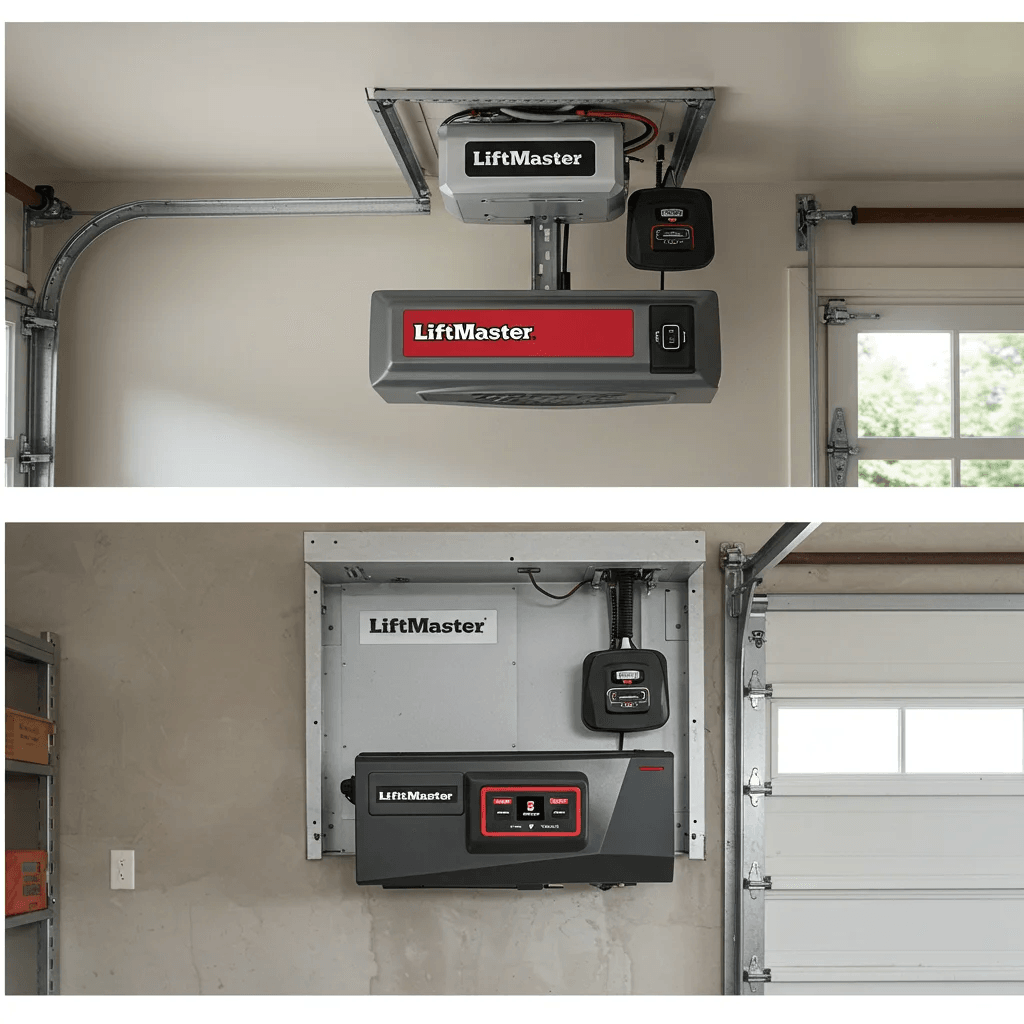
What You Need Before Connecting Your Garage Door Opener to Wi-Fi
Before starting the Wi-Fi setup, make sure your opener is compatible with smart control. Many newer openers have built-in Wi-Fi, while older units may require a separate smart controller. You will also need your smartphone, your chosen app, and your home Wi-Fi password. Preparing these items in advance ensures a smooth and trouble-free setup. Once everything is ready, verify that your garage receives a stable signal. A strong connection is essential for accurate app control, fast alerts, and reliable 24/7 monitoring...
Table of Contents
- How to Install a Keypad for a Garage Door: A Complete Beginner-Friendly Guide
- How to Connect a Garage Door Opener to Wi-Fi: Complete Beginner’s Guide
- How to Connect a Garage Door Opener to Wi-Fi: Complete Beginner’s Guide
- How to Test Wi-Fi Signal Strength in Your Garage
- Step-by-Step Instructions: How to Connect a Garage Door Opener to Wi-Fi
- Step-by-Step Instructions: How to Connect a Garage Door Opener to Wi-Fi
- How to Connect a LiftMaster Garage Door Opener to Wi-Fi Using myQ
- How to Connect a Chamberlain Garage Door Opener to Wi-Fi
- How to Test Wi-Fi Signal Strength in Your Garage
How to Install a Keypad for a Garage Door Without Access to the Overhead Motor
Standing inside your garage with your phone is the easiest way to test your Wi-Fi strength. If webpages load slowly or your signal drops repeatedly, the opener may have trouble connecting. You can also walk around the garage to check for areas with stronger or weaker reception. Improving your signal before starting the setup saves time and helps you avoid disconnections later. A strong signal leads to better app performance and smoother control of the opener.
Step-by-Step Instructions: How to Connect a Garage Door Opener to Wi-Fi
To begin, locate the Wi-Fi or learn button on your opener. Press and hold it until the LED begins blinking, which places the opener in pairing mode. Open the app on your phone, create an account, and follow the guided instructions to add your device. The app will detect the opener, connect it to your network, and finalize the setup. After pairing, test the door using your phone. If the door opens and closes smoothly through the app, the connection is complete.
How to Connect a LiftMaster Garage Door Opener to Wi-Fi Using myQ
LiftMaster openers connect easily through the myQ app. The app walks you through scanning the serial number, confirming the Wi-Fi signal, and pairing your opener with your home network. Once paired, your LiftMaster will sync with your myQ account and allow full remote control. Many homeowners prefer LiftMaster Wi-Fi because of its reliability, real-time alerts, and strong security features.
How to Connect a Chamberlain Garage Door Opener to Wi-Fi
Chamberlain also uses the myQ platform, making setup fast and beginner-friendly. When the Wi-Fi indicator blinks, the opener is ready for pairing. The app guides you step by step, ensuring your opener connects to the proper network. If you do not see the Wi-Fi icon, resetting the opener often restores pairing mode and resolves connection errors.
How to Connect a Genie Garage Door Opener to Wi-Fi
Genie openers connect through the Aladdin Connect app. After activating Wi-Fi mode on the opener, the app will link to the device and guide you through installing or activating any required accessories. Once connected, Genie’s smart features allow you to monitor door activity, create schedules, and track usage in real time..
Troubleshooting: Why Your Garage Door Opener Won’t Connect to Wi-Fi
If the opener will not connect, double-check that your phone is using a 2.4 GHz network, not 5 GHz. Restarting your router or moving it slightly closer to the garage often solves weak-signal issues. Resetting the opener’s Wi-Fi settings and attempting the pairing again usually completes the setup. Some homeowners encounter connection issues due to outdated firmware, which can be fixed by updating the opener through the app..
Tips to Improve Wi-Fi Signal for Better Smart Garage Performance
A strong signal ensures fast alerts, reliable app control, and minimal disconnections. Adding a Wi-Fi extender near the garage, relocating the router slightly, or switching to a mesh system can dramatically boost performance. Keeping metal objects or storage items away from the router also improves signal reach. Once the connection is stable, your smart garage opener becomes far more responsive and dependable..
Smart Features You Unlock After Connecting Your Garage Door Opener to Wi-Fi
With Wi-Fi enabled, you gain access to remote control, scheduling, real-time alerts, activity history, shared guest access, and smart home integrations. These features make your garage safer and more convenient, and they help prevent accidental openings or security risks. Smart monitoring also makes it easy to keep track of when family members come and go, adding even more peace of mind..
When to Call a Professional for Wi-Fi Garage Door Opener Setup
If your opener still won’t connect after multiple attempts, a professional can resolve wiring issues, signal problems, or compatibility limitations. This is especially helpful when upgrading older systems that require extra components to work with Wi-Fi. Many homeowners looking for help, including those searching for garage door repair in Parrish or garage door repair in Jensen Beach, turn to experts to ensure the entire setup is done correctly and works flawlessly. A professional can configure your app, strengthen the signal, and confirm that every feature operates smoothly, giving you a reliable and secure smart garage system.

How to connect a garage door opener to Wi-Fi?
How to Install a Keypad for a Garage Door: Simple, Step-By-Step Guide for Homeowners