
How to Program More Than One Garage Door Opener: Complete Homeowner Guide
Programming more than one garage door opener is simple once you understand how your opener learns new remotes. If you ever need local support, you can get help from Garage Door Repair in Greenacres. Most openers have a Learn or Program button that allows you to add multiple remotes without deleting the ones already saved..
Step-by-Step Instructions for Programming Multiple Garage Door Openers
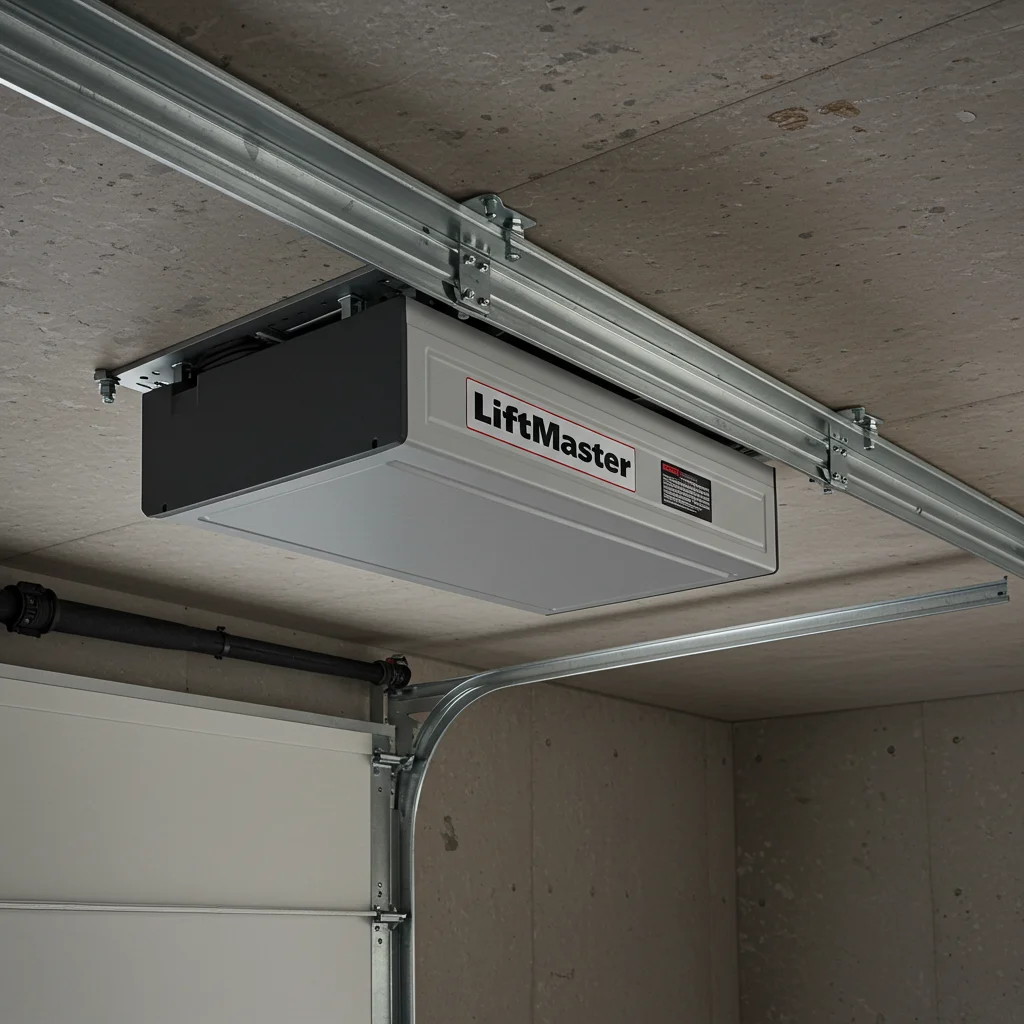
Programming several remotes usually follows the same process, no matter the brand. First, open your garage and locate the Learn button on your opener’s motor unit. This button is usually found under the light cover or on the back panel. Once you find it, you’re ready to begin pairing your remotes one by one. To add each remote, press the Learn button until a light flashes. Then press the main button on your remote. The opener should blink again to confirm the new remote was saved. Repeat this for each remote you want to program. Just be sure not to hold the Learn button too long, or you could erase all connected remotes...
Table of Contents
- How to Program More Than One Garage Door Opener: Complete Homeowner Guide
- Step-by-Step Instructions for Programming Multiple Garage Door Openers
- Syncing Your Garage Door Remote with the Opener for Multi-Device Use
- Why Only One Remote Works at a Time And How to Fix Multi-Remote Programming Issues
- How to Program More Than One Remote on a 1998 Chamberlain Garage Door Opener
- How to Replace Garage Door Remote Batteries for Reliable Multi-Opener Performance
- Best Security Tips When Programming Multiple Garage Door Remotes
- Looking for a New Garage Door? Explore Clopay Doors for Smart Compatibility
- Need More Garage Door Advice? Expert Tips for Multi-Remote Setup
Syncing Your Garage Door Remote with the Opener for Multi-Device Use
Syncing your remote means teaching your opener to recognize each device. If you need step-by-step help, you can visit Garage Door Repair in Lake Worth. Most modern openers use rolling codes that change every time you press the remote, keeping your system secure while allowing multiple remotes.
Why Only One Remote Works at a Time And How to Fix Multi-Remote Programming Issues
If only one remote works at a time, your opener may be full, older, or in a lockout mode. Some older openers can store only a limited number of remotes, usually two. When you try to add another, the opener may delete the previous one. This makes it seem like your remotes cannot work together. To fix this issue, start by clearing all codes using the Learn button. After wiping the memory, program each remote again one after another. If the problem continues, your remote frequencies may not match, or your opener may be too old to support more remotes.
How to Program More Than One Remote on a 1998 Chamberlain Garage Door Opener
Chamberlain openers from 1998 work differently than new models. These units use older compatible remotes, and not all modern remotes will sync with them. Before programming, make sure you have a remote designed for Chamberlain 390 MHz frequency systems. To program multiple remotes on a 1998 unit, press and release the purple Learn button, then press the remote button. You must pair each remote within 30 seconds. If one remote stops working after adding another, the system memory may need to be cleared and reprogrammed. These older units usually support two to three remotes.
How to Replace Garage Door Remote Batteries for Reliable Multi-Opener Performance
Weak batteries can cause remotes to lose connection or fail while you try to program them. Most garage door remotes use small round coin batteries like CR2032 or CR2016. Replacing them takes only a minute and can prevent common syncing issues. After adding new batteries, always test the range. If your remote works only when you stand close to the opener, the battery may still be weak, or the contacts may be dirty. A fresh battery ensures each remote sends a strong signal and pairs correctly.
Best Security Tips When Programming Multiple Garage Door Remotes
When you add more remotes, you also need to think about security. Lost or old remotes can give unauthorized people access to your home. A good security habit is to erase all remotes when moving into a new home or after losing a remote. You should also enable features like vacation lock mode and make sure you never hold the Learn button too long, unless you intend to wipe the system. Storing remotes safely and using rolling-code technology helps protect your garage from unauthorized entry..
looking for a New Garage Door? Explore Clopay Doors for Smart Compatibility
If your opener is old and struggles to support multiple remotes, upgrading to a new system may be the best option. Clopay garage doors pair well with modern openers that offer smart controls, quiet motors, and strong security options. Many Clopay models work with smart home systems, mobile apps, and wireless keypads. This makes it easier to manage multiple users, remotes, and access points around your home..
Common Customer Questions About Programming More Than One Garage Door Opener
Homeowners often ask why their opener won’t store more remotes or why one stops working after programming another. In most cases, the cause is outdated technology, full memory, or remote incompatibility. Understanding the steps and limits of your opener can solve these issues quickly. Other common questions include how many remotes an opener can hold, how long batteries last, and how to reset the entire system. With the right steps, most homeowners can handle all these tasks without professional help..
Syncing Your Garage Door Remote with the Opener for Multi-Device Use
Syncing your remote means teaching your opener to recognize each device. If you need step-by-step help, you can visit Garage Door Repair in Lake Worth. Most modern openers use rolling codes that change every time you press the remote, keeping your system secure while allowing multiple remotes..
Need More Garage Door Advice? Expert Tips for Multi-Remote Setup
If you still need help programming multiple remotes, you can get expert guidance from Garage Door Repair in Palm Beach. Many issues come from weak batteries, timing errors, or outdated openers. Upgrading your system may be the best long-term fix if your opener is older.

How to program more than one garage door opener?
How to Program More Than One Garage Door Opener | Complete Step-by-Step Guide